Practice the call
before it ever matters.
911 Practice Phone lets a young child rehearse dialing 9-1-1 and talking to an emergency operator — safely, on your own phone, as many times as they like.
Fully offline · Nothing recorded · Never dials a real number
How it works
They dial
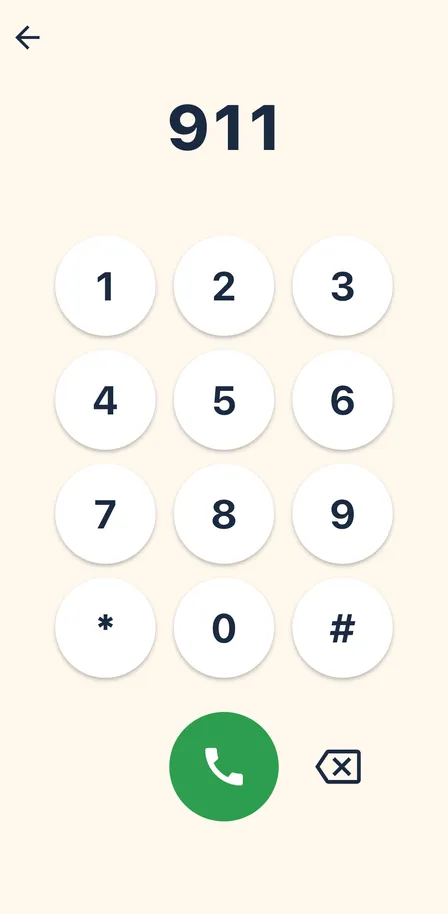
Your child dials 9-1-1 on a big, friendly keypad and holds the phone to their ear like a real call.

The operator answers
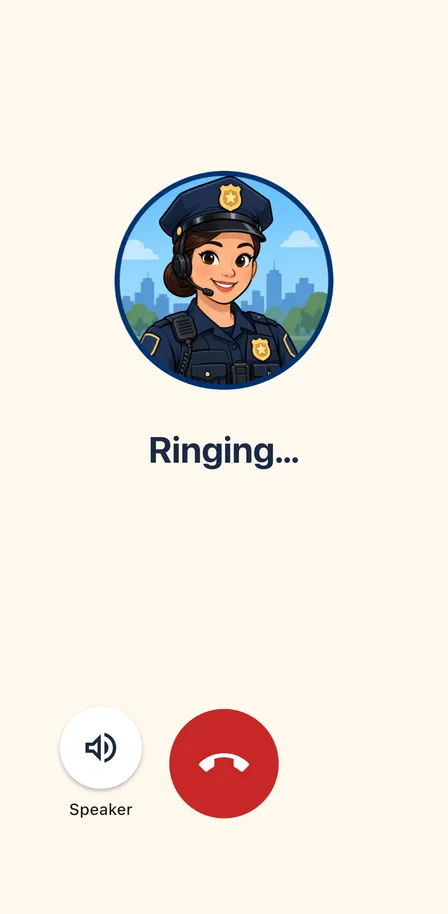
A calm dispatcher asks their name, what’s wrong, and where they are — then answers back with encouragement: “Your name is Emma. Great job.”
You see how it went
Afterward you get a short summary of what your child said, so you know which answers to practice next time.
Every question waits patiently, and the call always moves forward, so a shy child never gets stuck.
Never a real call
The app never places a phone call and never dials real emergency services. Everything happens inside the app.
What it looks like
Big buttons, big text, and one thing on screen at a time — built for hands and eyes that are still learning.

Built for grown-ups to run
An adult enters the practice address and picks the scenario behind a parental gate. Then the phone is the child’s.
-
Three scenarios
Auto-detect follows whatever the child says. Or pick house fire, or someone hurt, before you hand the phone over.
-
Hears them, on the device
Speech recognition runs entirely on your phone, with keyword branching and the child's own name said back. It never falls back to the network — it refuses to start the call instead.
-
The same voice everywhere
A bundled offline voice with dictionary pronunciations, so the operator sounds identical on every device, with no download and no connection.
-
Feels like a real handset
Earpiece audio, a speaker button, keypad tones, a screen that blanks at the ear, and a screen that stays awake.
-
A gate a pre-reader can't pass
Settings and the call summary sit behind an arithmetic question written out in words, so a young child can't wander into them.
-
A readiness check first
The app won't let you hand over the phone until the location, speech recognition and voice are all working.
Private by design
- Completely offline. The app never connects to the internet.
- Speech is recognized entirely on your device. Audio is never recorded, never saved, never sent anywhere.
- No accounts, no sign-in, no ads, no analytics, no third-party tracking.
- The only thing stored is your session setup, and it leaves with the app when you delete it.

Ten minutes now, for the call you hope never comes.
$4.99 on the App Store. One purchase, no subscription, no in-app purchases, no ads.
What you need
An iPhone running iOS 16 or later, with the microphone and on-device speech recognition available. If on-device recognition isn’t ready, the app tells you and waits — it will not send your child’s voice to the cloud instead.
Practice somewhere reasonably quiet, and plan on sitting alongside for the first few calls. Setup takes about a minute.